Azure to PostgreSQL | Migrate & Sync Data Effortlessly

Withdata DBCopier - Secure, Fast, and Cross-Platform Tool for Azure to PostgreSQL Data Transfer

Core Features for Azure to PostgreSQL Data Operations

📊

Batch Copy Azure Tables to PostgreSQL

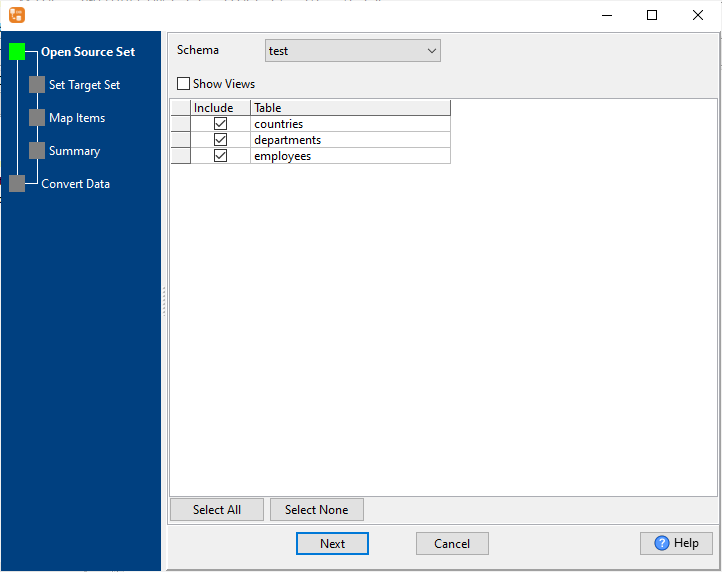
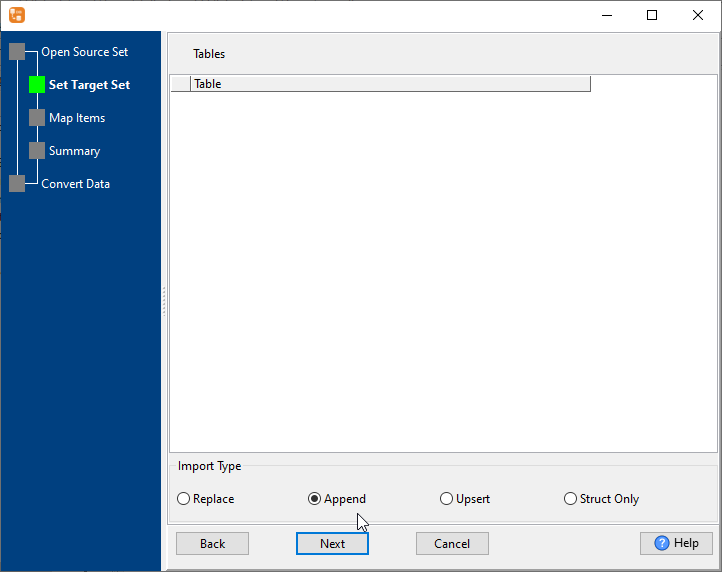
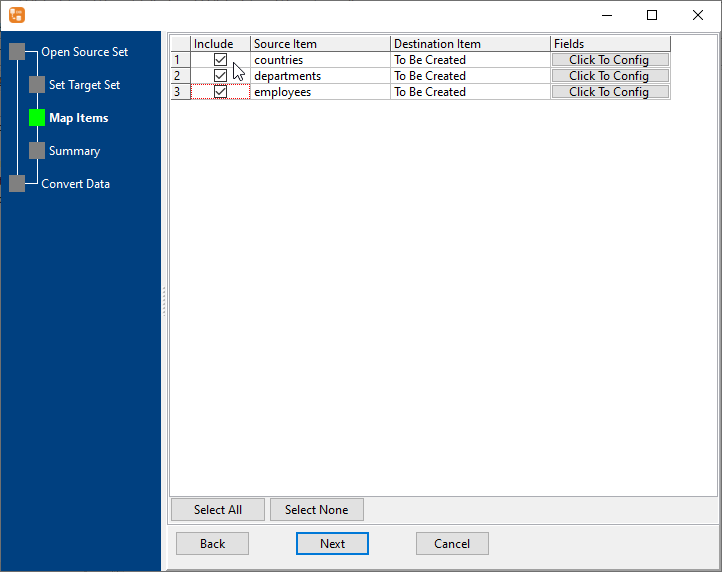
Select multiple Azure source tables and map to PostgreSQL target tables with one click 📷. Support Replace, Append, Upsert, and Schema-only import modes for bulk table migration 📷.

📈

Merge Similar Azure Tables to One PostgreSQL Table

Combine multiple structurally similar Azure tables into a single PostgreSQL table 📷 with automatic field mapping, date format customization, and NULL value handling 📷.

📋

Copy Azure Query Results to PostgreSQL

Import custom Azure query results directly to PostgreSQL tables with precise field mapping 📷 - no intermediate tables required for filtered data migration.

🚚

Single Azure Table to PostgreSQL Transfer

Streamlined single-table data migration with automatic schema creation, intelligent data type mapping, and PostgreSQL index generation for fast synchronization. 📷

Full Azure to PostgreSQL Migration

Complete migration from Azure schema and data to PostgreSQL indexes - one-stop solution for full database/selected table migration with zero manual adaptation. 📷

🔄

Sync Azure Data to PostgreSQL

Support Full Sync (Replace) and Incremental Sync (Upsert) modes to keep Azure and PostgreSQL data consistent in real-time or on schedule. 📷

📝

Convert Azure to PostgreSQL

Core data format and schema conversion with custom field mapping, UTF-8 encoding 📷, and full process logging for accurate data transformation.

Schedule & Automate Tasks

Save operations as scripts (.bat for Windows, .sh for Linux/macOS) and automate with Task Scheduler/Crontab for hands-free recurring data transfers. 📷

Why Choose Withdata DBCopier?

Extreme Performance

Process millions of rows in minutes with sub-second response for single/multi-table synchronization - maximize data processing efficiency.

🔒

Local & Secure

All data operations execute locally - no data passes through third-party servers, ensuring enterprise-grade data security and privacy.

💻

Cross-Platform Support

Fully compatible with Windows (32/64-bit), Linux (Debian/Ubuntu/RHEL/Fedora/SUSE), and macOS - no compatibility issues across systems.

🖱️

Dual Operation Modes

  • GUI: Wizard-based visual interface with zero learning curve
  • CLI: Command-line interface for automation and scripting
📊

Flexible Configuration

Custom field mapping, date format settings, NULL value handling, import mode selection, and detailed logging for precise business adaptation.

📈

High Success Rate

Zero data loss or mismatch during transfer with customizable error thresholds and separate failure tracking for complete data integrity.

3 Simple Steps to Transfer Azure to PostgreSQL

1

Connect Databases

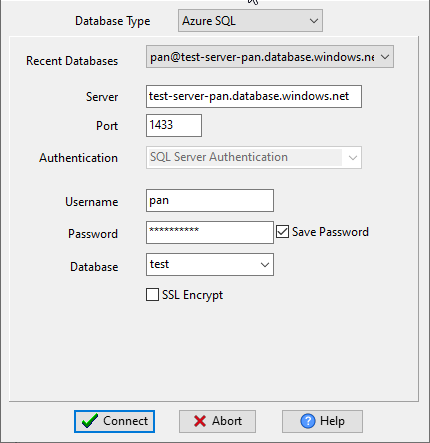
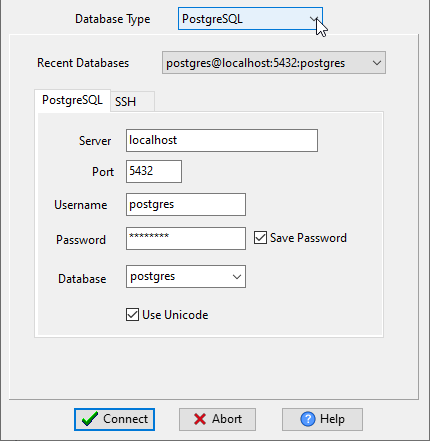
Enter connection details for Azure server, port, username, password, and target database 📷 and PostgreSQL server, port, username, password, and target database (support for SSH/SSL) 📷.

2

Configure Parameters

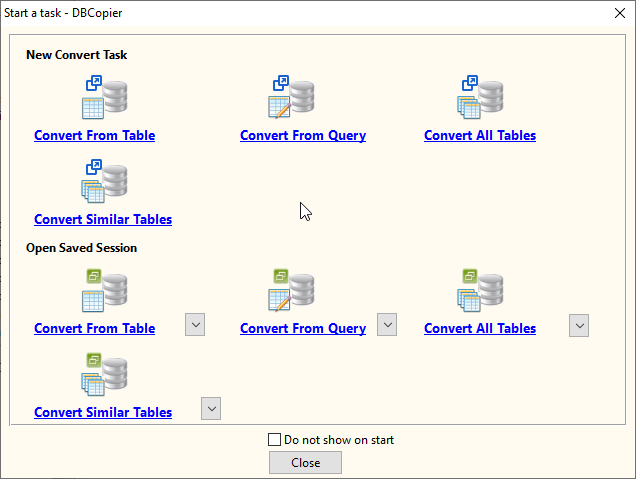
Select task type ("Convert From Table" for table copy, "Convert From Query" for query import, "Convert Similar Tables" for merge tables, and "Convert All Tables" for batch copy, migrate, or sync.) 📷.
Map fields 📷, set import type 📷, and preview data 📷 before execution.

3

Execute & Automate

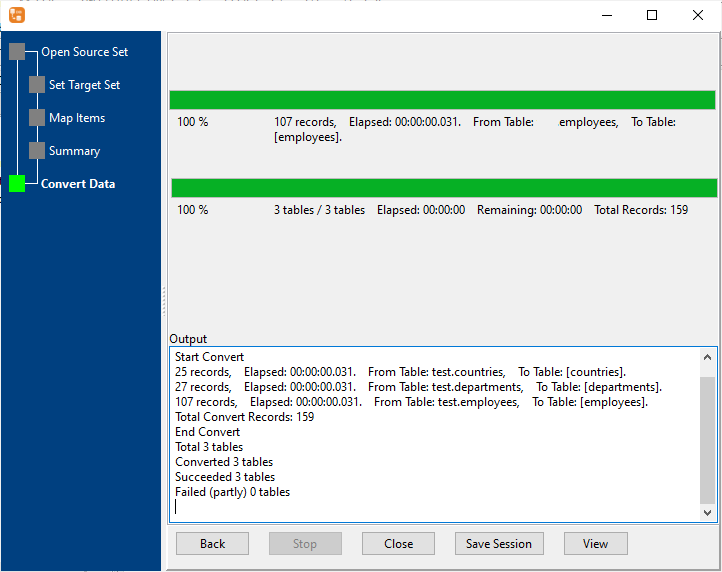
Run the transfer with real-time progress tracking, view detailed logs 📷, and save sessions as scripts for scheduled automation 📷.

Frequently Asked Questions

How long does Azure to PostgreSQL transfer take? +
Withdata DBCopier delivers exceptional speed - millions of rows can be processed in minutes, with sub-second response for single tables or small datasets.
Is Withdata DBCopier secure to use? +
Absolutely secure! All data processing happens locally on your machine - no data is transmitted to third-party servers, eliminating data breach risks.
Does Withdata DBCopier support Linux and macOS? +
Yes! Withdata DBCopier provides full versions for Windows, Linux (all major distributions), and macOS, with perfect compatibility across all operating systems.
Can operations be executed via command line? +
Yes! Withdata DBCopier CLI mode is fully supported on Windows, Linux, and macOS, ideal for automation scripts, batch processing, and scheduled tasks.
What PostgreSQL versions does Withdata DBCopier support? +
Withdata DBCopier support PostgreSQL 9.x, 10, 11, 12, 13, 14, 15, 16, 17, 18.
Does Withdata DBCopier support batch processing of Azure tables? +
Absolutely! Select multiple Azure tables with one click to complete batch copy/migration/sync to PostgreSQL, significantly improving efficiency.

Download Withdata DBCopier Now

Get the full version for your operating system and start seamless Azure to PostgreSQL data transfer