HTML to TSV Converter | Withdata DataFileConverter

Fast, Local, Private Tool to Convert, Batch Process & Merge HTML Tables to TSV

Why Choose Our HTML to TSV Converter

Cross-Platform

Native support for Windows, Linux, macOS – no compatibility issues

GUI + CLI Modes

Easy GUI for manual use, powerful CLI for automation & scripts

100% Local & Private

All conversions run on your device, no data upload to cloud

Ultra Fast & Large File

Process millions of rows, support files over 4GB smoothly

3 Conversion Modes

Single file, batch convert, merge multiple HTML to one TSV

Full Customization

Column mapping, encoding, date format, delimiter control

3 Core Conversion Modes for All Needs

1. Single HTML to TSV

Convert one HTML table file to TSV with preview and customization

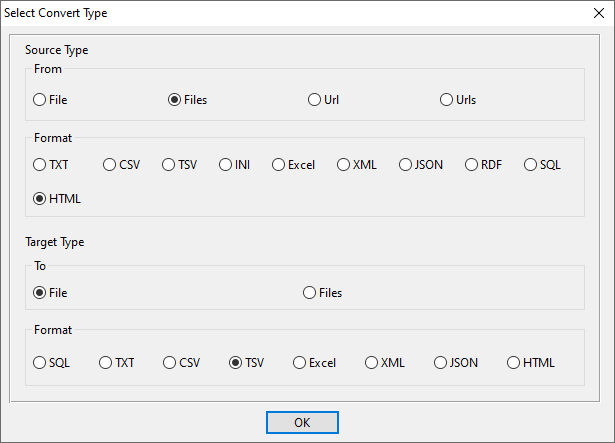
  1. Start new conversion and select HTML source / TSV target
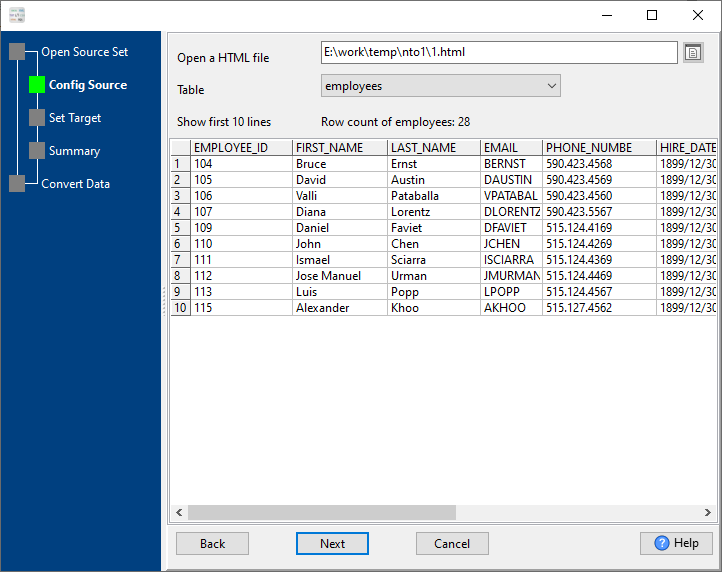
  2. Load HTML file and preview the first 10 rows
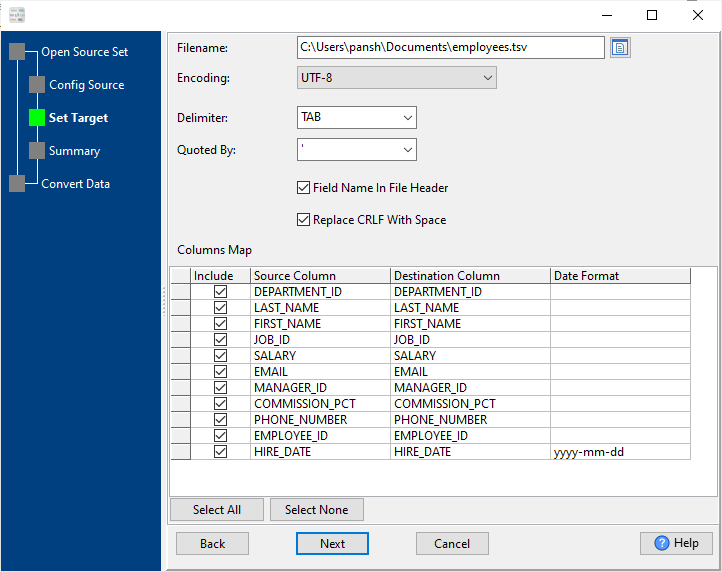
  3. Set output path, encoding (UTF-8) and TAB delimiter
  4. Customize column mapping and date formats
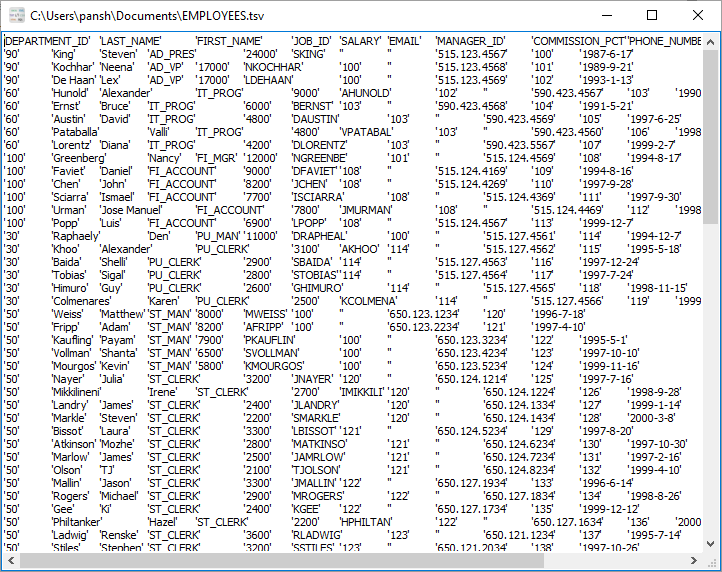
  5. Click convert and get TSV file instantly

2. Batch Convert HTML to TSV (1:1)

Auto-convert bulk HTML files to separate TSV files in one click

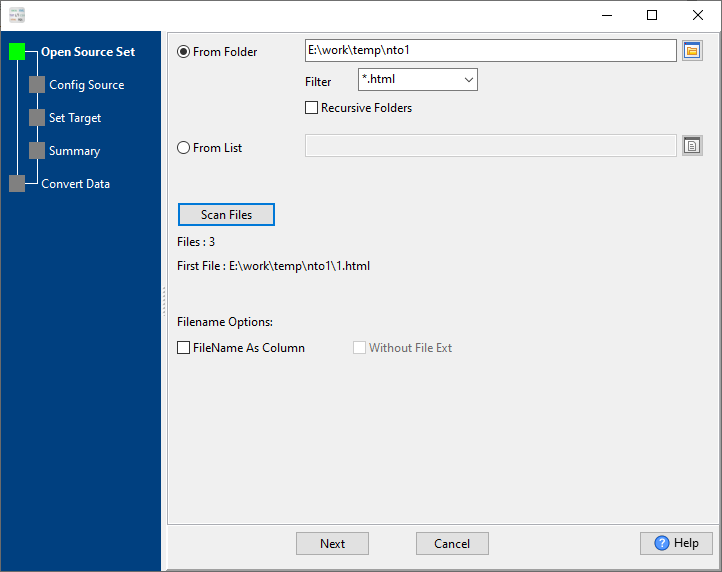
  1. Select source folder with multiple HTML files
  2. Enable recursive folder scanning for subdirectories
  3. Set unified output folder for TSV files
  4. Apply consistent column mapping to all files
  5. Run batch conversion with one click

3. Merge Multiple HTML into One TSV

Combine multiple HTML table files into a single clean TSV file

  1. Select all HTML files you want to merge
  2. Configure header and field matching options
  3. Map consistent columns across all HTML files
  4. Merge data with full integrity and no duplicates
  5. Export merged TSV for Excel, databases, analytics

Key Features

Quick Start Guide

  1. Open Withdata DataFileConverter and click Start a New Convert
  2. Set source format to HTML and target format to TSV 📷
  3. Load your HTML file(s) and preview data 📷
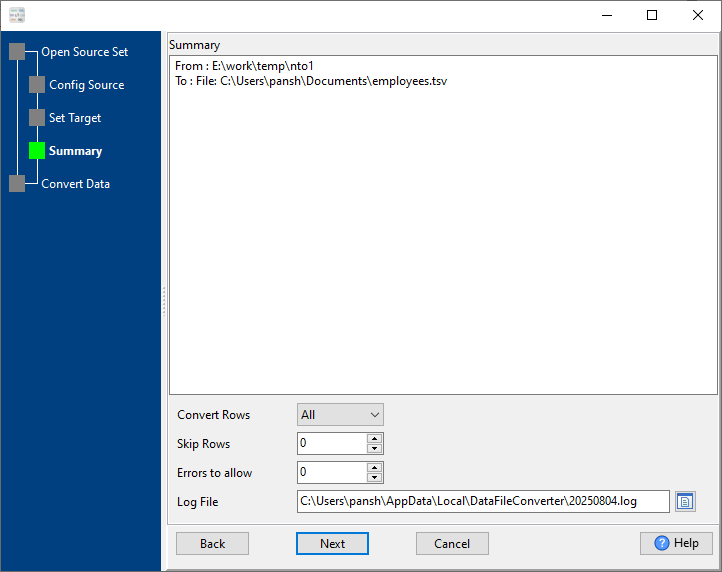
  4. Configure output TSV path, encoding and formatting options; Customize columns, date formats and delimiters 📷
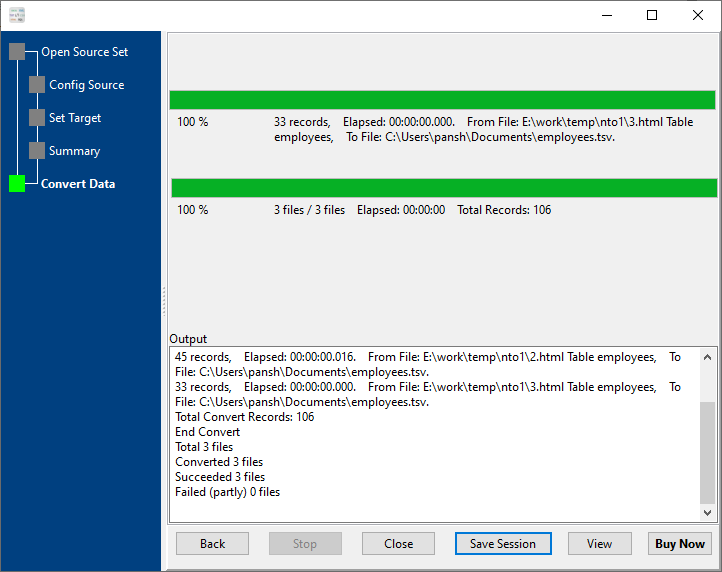
  5. Click Convert – done! 📷

Frequently Asked Questions

How long does HTML to TSV conversion take?

Millions of rows are processed within one minute; small files finish in milliseconds. The tool supports ultra-fast processing for files over 4GB without lag.

Is my data safe when converting HTML to TSV?

Yes. All conversions run locally on your computer – no data is sent to online servers or cloud platforms. Your data privacy is fully protected.

Can I use the HTML to TSV converter on Linux and macOS?

Yes. The converter provides native versions for Windows, Linux, and macOS operating systems, with full cross-platform compatibility.

Can I automate HTML to TSV conversions?

Yes. Use the CLI mode with saved sessions to create batch scripts (.bat/.sh), and schedule tasks via Crontab (Linux/macOS) or Windows Task Scheduler for automatic conversions.

Does the tool support batch convert and merge HTML files?

Yes. It supports three core modes: single HTML to TSV, batch convert (1 HTML → 1 TSV), and merge multiple HTML files into one single TSV file with full data integrity.

Start Converting HTML to TSV Today

Fast, secure, and professional HTML to TSV conversion for all platforms

Download DataFileConverter Now