SQL to Excel Converter - Withdata DataFileConverter

Fast, Secure Local Conversion for Windows, Linux & macOS

Why Choose Withdata DataFileConverter for SQL to Excel?

🌍

Cross-Platform Support

Works seamlessly on Windows, Linux, and macOS—no system limitations

đź”§

Two Operation Modes

Intuitive GUI (point-and-click) for beginners, CLI (Command Line) for automation/scheduled tasks

🔄

3 Conversion Modes

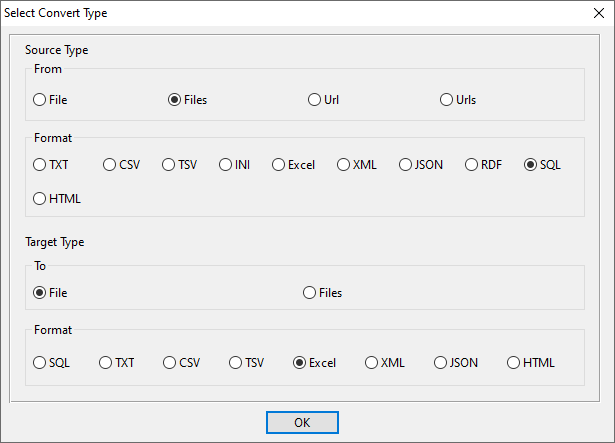
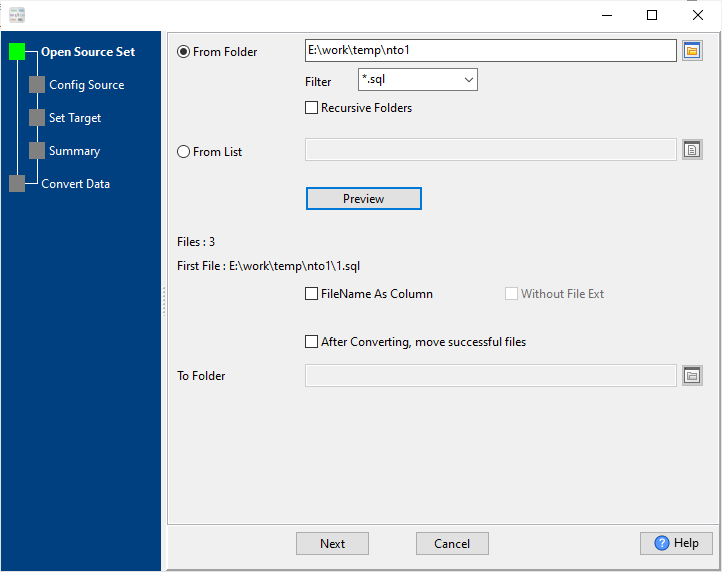
Single SQL to Excel, merge multiple SQL into one Excel, batch convert SQL to individual Excel files

⚡

Blazing Fast

Convert millions of rows in 1 minute—supports large SQL files over 4GB

đź”’

100% Local & Secure

All conversions happen on your device—no file uploads, no data leakage

đź“‹

Flexible Customization

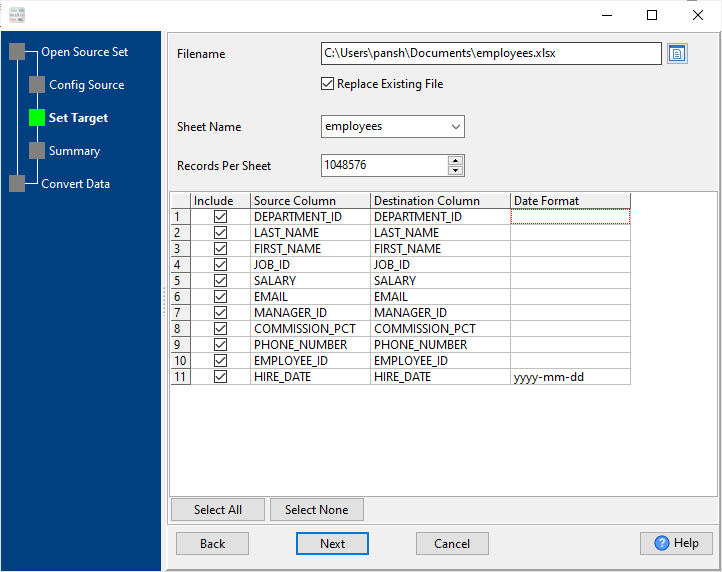
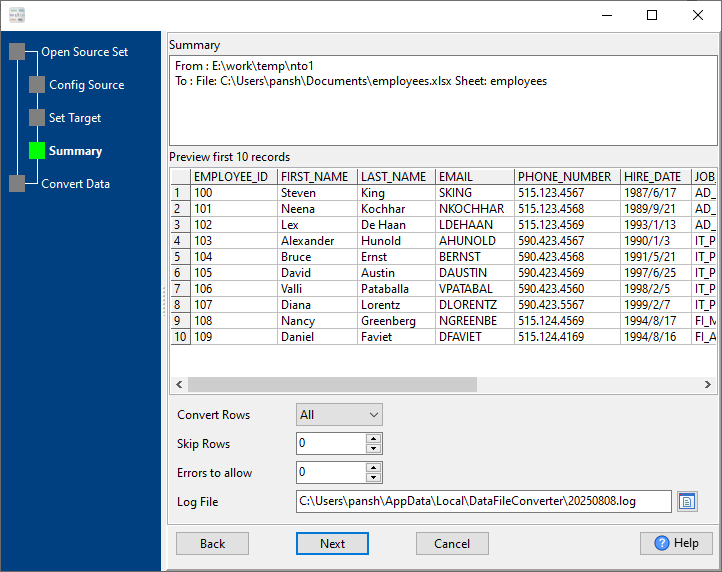
Map columns, set date formats, define records per sheet, preview data before conversion

What You Can Do with Our SQL to Excel Converter

We cover all your SQL to Excel conversion needs with simple, step-by-step operations—no technical skills needed.

1. Convert Single SQL File to Excel

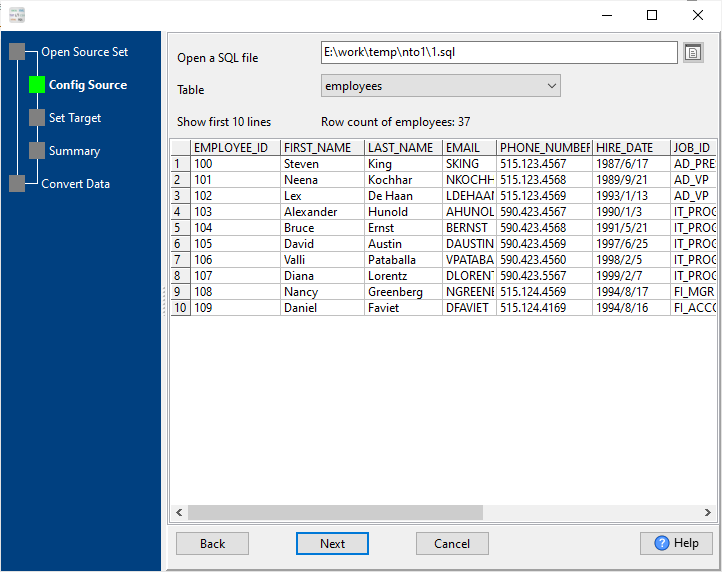
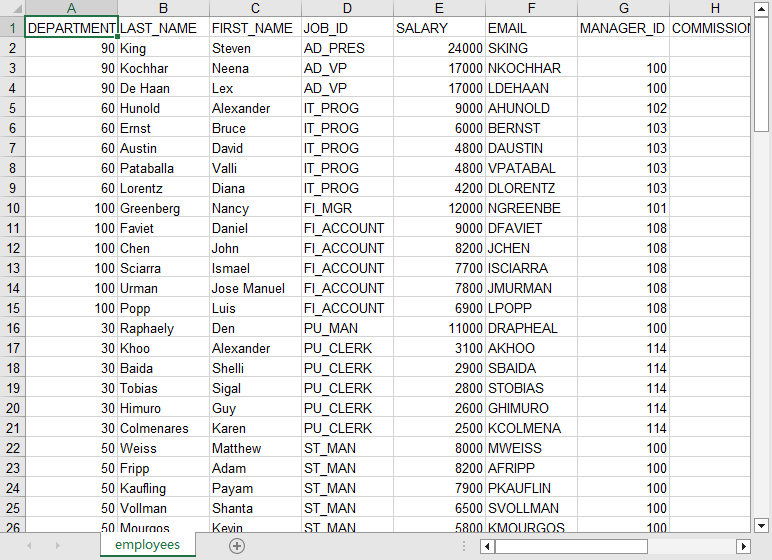
Turn any single SQL file (including large files >4GB) into a clean Excel XLSX/XLS file, with full column mapping and data preview.

2. Merge Multiple SQL Files into One Excel

Combine multiple SQL files from a folder (supports recursive folder selection) into a single Excel file—ideal for consolidating related data.

3. Batch Convert SQL to Excel Files

Convert multiple SQL files to one Excel file per SQL (1:1 mapping) in one go—saves time for bulk data processing.

4. Automate & Schedule Conversion

Save conversion sessions, generate .bat (Windows) or .sh (Linux/macOS) scripts via CLI, and schedule tasks with Windows Scheduled Task or Linux/macOS Crontab.

Frequently Asked Questions (FAQ)

How long does it take to convert SQL to Excel? +
Blazing fast—millions of rows in 1 minute. Small/medium files (100-10,000 records) are converted in milliseconds.
Is it safe to convert SQL to Excel with DataFileConverter? +
100% safe! All conversions are processed locally on your device—no files are uploaded to our servers or any third-party platforms. Your data stays private.
Does it work on Linux/MacOS? +
Yes—we offer native versions for Windows, Linux, and macOS—full cross-platform support with no compatibility issues.
Can I convert SQL to Excel without Microsoft Excel installed? +
Absolutely! DataFileConverter runs independently—no Microsoft Excel, Office, or any plug-ins required.
Does it support large SQL files? +
Yes—we fully support SQL files larger than 4GB—no file size limits for conversion.
Can I map columns and customize date formats? +
Yes—you can select/include/exclude source columns, map to custom destination columns, and set custom date formats (e.g., yyyy-mm-dd, yyyy/mm/dd) for date-type fields.
What Excel formats are supported? +
We support XLSX (Excel 2007+) and XLS (Excel 97-2003)—you can choose the format in the target settings.

Key Features at a Glance

Feature Details
Cross-Platform Windows, Linux, macOS (native versions)
Operation Modes GUI (step-by-step) + CLI (automation)
Conversion Types Single, Merge (multiple→one), Batch (multiple→multiple)
File Support SQL files (>4GB), Excel XLSX/XLS
Data Customization Column mapping, date format setting, record per sheet
Data Preview Real-time preview of first 10 rows (source + converted)
Speed Millions of rows / 1 minute
Security 100% local conversion, no data uploads
Dependencies No Microsoft Excel/Office required
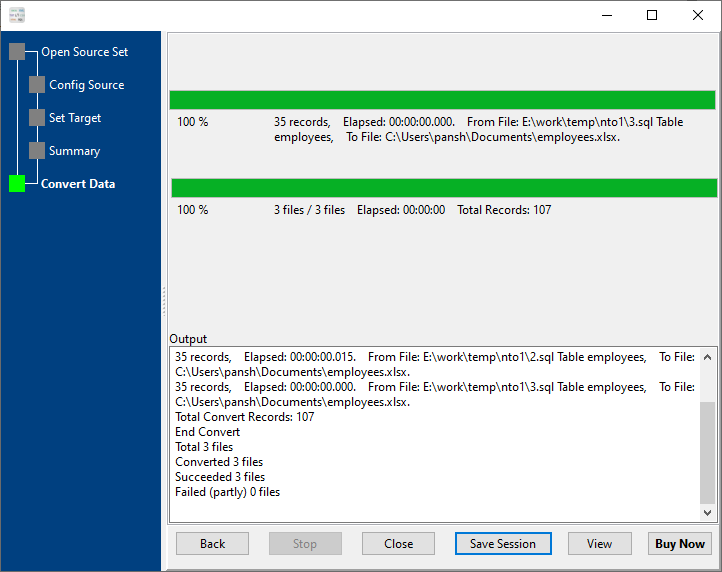
Logging Detailed conversion log files (path customizable)
Automation .bat/.sh scripts, Windows Scheduled Task/Crontab support

Get Started with SQL to Excel Conversion Today

Withdata DataFileConverter makes SQL to Excel conversion easy, fast, and secure—for personal, professional, or enterprise use.

Download Withdata DataFileConverter Now

âś… Free trial available | âś… Full version with unlimited conversions | âś… 24/7 technical support