Merge multiple text files into a single document effortlessly
Tired of copying and pasting dozens of text files manually? TextMerger is a lightweight, fast and reliable tool designed to merge unlimited text-based files (plain text files, TXT, CSV, TSV, JSONL, etc.) into one unified file. Save your time and boost your workflow.
Support Windows, Linux & macOS
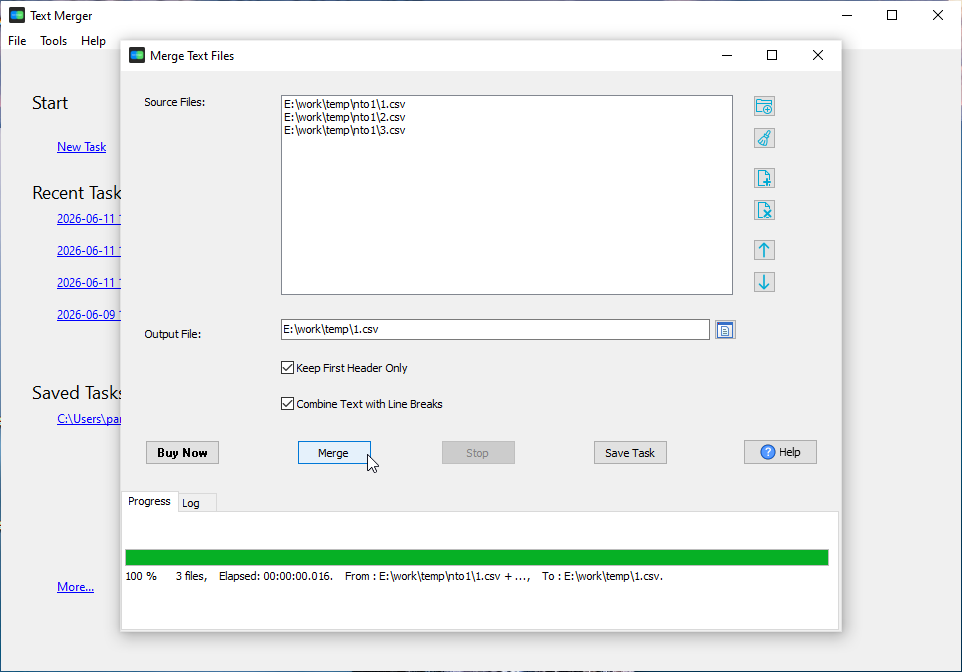
Add and merge hundreds of text files at once, no file quantity limits for regular use.
Preserve line breaks, encoding and original content layout of all imported text files.
Works with UTF-8, ANSI, ASCII and common text encodings for cross-platform compatibility.
No complicated setup, runs smoothly on all Windows devices with low resource usage.
Adjust the sequence of files before merging for perfect arrangement.
100% offline tool, your files never leave your local device to protect data privacy.
Select all the TXT or text files you want to combine.
Rearrange file sequence to match your desired final document.
Click the merge button to combine all files to a single text document instantly.
TextMerger mainly supports standard .txt plain text files, .csv CSV (Comma-Separated Values) file, .tsv TSV (Tab-Separated Values) file, JSONL/NDJSON/LDJSON (JSON Lines) file. It also works well with text-based files like log files and script files.
Yes. TextMerger is a fully offline desktop application. All file processing happens locally on your computer, no files are uploaded to any server.
Absolutely. You can reorder files freely before starting the merge process.
Yes. The tool supports most common text encodings including UTF-8, ANSI and ASCII to avoid garbled text after merging.
There is no strict quantity limit. It can handle large batches of text files for daily office and personal use.