All-in-One Data File Conversion Tool

Convert CSV, JSON, Excel, SQL and 10+ data formats with ease. Batch conversion, 100% offline security, cross-platform support for Windows, Mac and Linux. One-time payment - no recurring fees.

🗄️ 10+ Supported Formats
⚡ Millions of Rows/Minute
🔒 Local Secure Processing
🌍 Windows/Mac/Linux
⚙️ CLI + Scheduled Tasks

Powerful Features for Every Need

Multiple Format Support

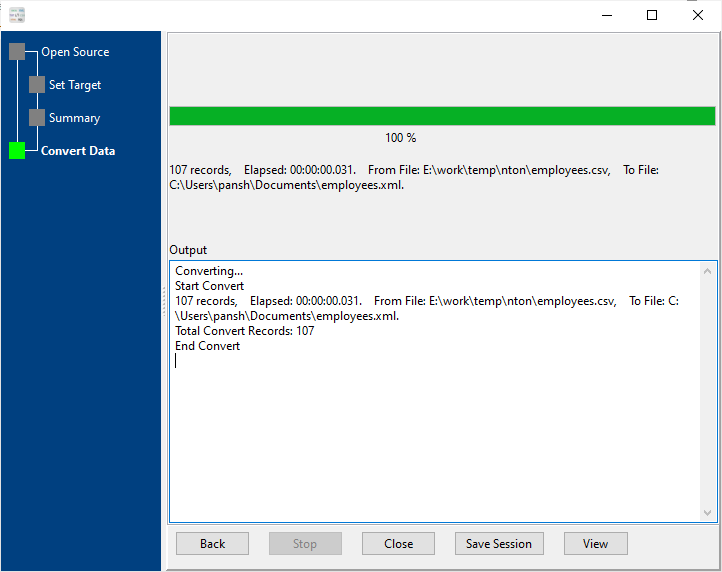
Convert between CSV, JSON, Excel, SQL, XML, TXT and more - over 10+ data formats supported.

Batch Conversion

Process hundreds of files at once with batch mode, saving you hours of manual work.

100% Offline Security

All conversions happen locally on your device - no data uploads, no privacy risks.

Cross-Platform

Works seamlessly on Windows, macOS and Linux - use your favorite operating system.

Command Line Support

Automate conversions with command line interface for advanced users and scripting.

Preview Before Convert

Preview data and adjust settings before conversion to ensure perfect results every time.

What Our Users Say

"Saved me hours of manual work! Batch converting 500+ CSV files to JSON was done in minutes, and the offline feature gives me peace of mind with sensitive client data. Worth every penny of the one-time fee."

MP

Michael Peterson

Data Analyst | Financial Services

"As a DevOps engineer, I needed a tool that works across Windows and Linux servers. The CLI integration is flawless - I've automated all our data conversion tasks and cut down on manual intervention by 90%."

ER

Emily Rodriguez

DevOps Engineer | Tech Startup

"The offline conversion is a game-changer for our healthcare organization. We can convert sensitive patient data without ever uploading it to the cloud. The support team is also incredibly responsive."

WL

William Lee

IT Manager | Healthcare Provider

Supported Data Formats

Source Format Target Format Key Features
CSV (Comma Separated Values) JSON, Excel, SQL, XML, HTML Column mapping, encoding support
JSON (JavaScript Object Notation) CSV(TSV), Excel, SQL, XML, HTML Nested JSON parsing, array support
Excel (XLS/XLSX) CSV(TSV), JSON, SQL, XML, HTML Sheet selection, cell range filtering
SQL (MySQL/PostgreSQL/SQL Server/Oracle/...) CSV(TSV), JSON, Excel, XML, HTML SQL table parsing, batch export
HTML (HyperText Markup Language) CSV(TSV), JSON, Excel, XML, SQL HTML table parsing, batch export
XML (Extensible Markup Language) CSV(TSV), JSON, Excel, SQL, HTML Nested elements parsing, attribute extraction
RDF (Resource Description Framework) CSV(TSV), JSON, Excel, SQL, HTML TTL(Turtle), TriG, N-Triples, N-Quads,
N3(Notation3), RDF/XML, RDF/JSON, JSON-LD

Get DataFileConverter

Download Free Trial

30-day free trial - No credit card required.

Download

Buy Full Version

Full version: one-time payment of $75 (no subscription fees).

Buy Now

Frequently Asked Questions

Is DataFileConverter really offline?
Yes! All data conversion processes run locally on your computer. We never upload your files to any server, ensuring complete data privacy and security. No internet connection is required for core conversion features.
Do I need to pay for updates?
No. All minor version upgrades (e.g., from 1.0 to 1.5) are completely free of charge. For major version upgrades (e.g., from 1.0 to 2.0), you'll be eligible for a discount of 30% or more off the full price, rather than paying the full retail cost.
Can I automate conversions with scripts?
Absolutely! DataFileConverter provides a full command line interface (CLI) that allows you to integrate conversion tasks into your scripts, batch files, or automation workflows. We provide detailed CLI documentation and example scripts for common use cases.
What is the maximum file size supported?
There is no hard limit on file size - the only constraint is your system's available RAM and storage. We have tested files up to 20GB on systems with sufficient memory. For very large files, we recommend using the batch mode with chunk processing to optimize performance.
Does it support nested JSON/XML structures?
Yes! DataFileConverter can parse and flatten nested JSON objects and XML elements. You can customize how nested structures are converted (e.g., dot notation, nested columns, or separate tables) in the advanced settings panel.
Is there a money-back guarantee?
Yes. We offer a 30-day no-questions-asked money-back guarantee. If you're not satisfied with the product for any reason, simply contact our support team to receive a full refund. The free trial allows you to test all features before purchasing.