Text Merger
Combine text files quickly and safely. Local desktop tool for Windows, macOS, Linux with GUI & CLI automation - Withdata TextMerger
Download TextMerger Merge Text Files Online (<10M)Key Features
Process large text files with millions of lines quickly, without slowdowns or memory issues.
Easy visual interface for manual use, plus command-line mode for batch processing, scripting, and scheduled tasks.
All merging runs on your computer. No file uploads, no internet required, keeping your data private and secure.
Native versions for Windows, macOS, and Linux. Consistent performance across all desktop systems.
How to Merge TXT Files
- Add Text Files - Launch the tool, create a new task, and select all the text files you want to combine.
- Adjust Order - Rearrange file sequence to match your desired final text file.
- Merge Text Files - Click the merge button to combine all text files to a single text file instantly.
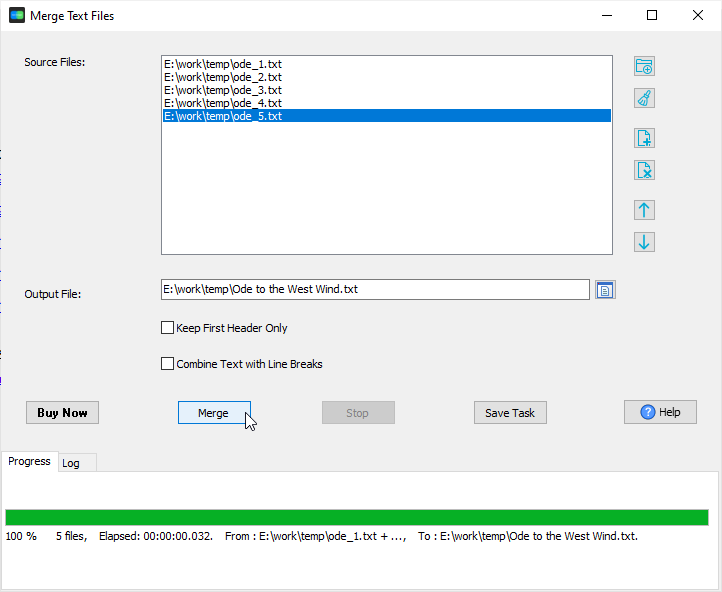
Soruce text files
ode_1.txt:
O wild West Wind, thou breath of Autumn's being,
Thou, from whose unseen presence the leaves dead
Are driven, like ghosts from an enchanter fleeing,
ode_2.txt:
Yellow, and black, and pale, and hectic red,
Pestilence-stricken multitudes: O thou,
Who chariotest to their dark wintry bed
ode_3.txt:
The winged seeds, where they lie cold and low,
Each like a corpse within its grave, until
Thine azure sister of the Spring shall blow
ode_4.txt:
Her clarion o'er the dreaming earth, and fill
(Driving sweet buds like flocks to feed in air)
With living hues and odours plain and hill:
ode_5.txt:
Wild Spirit, which art moving everywhere;
Destroyer and preserver; hear, oh hear!
Output text file
Ode to the West Wind.txt:
O wild West Wind, thou breath of Autumn's being,
Thou, from whose unseen presence the leaves dead
Are driven, like ghosts from an enchanter fleeing,

Yellow, and black, and pale, and hectic red,
Pestilence-stricken multitudes: O thou,
Who chariotest to their dark wintry bed

The winged seeds, where they lie cold and low,
Each like a corpse within its grave, until
Thine azure sister of the Spring shall blow

Her clarion o'er the dreaming earth, and fill
(Driving sweet buds like flocks to feed in air)
With living hues and odours plain and hill:

Wild Spirit, which art moving everywhere;
Destroyer and preserver; hear, oh hear!
Frequently Asked Questions
The tool processes millions of lines within seconds. Performance depends on storage speed, but it is optimized for high-speed batch merging even with very large text files.
Yes. All merging operations run locally on your computer. No files are sent or uploaded to any cloud or server, ensuring full data privacy.
Yes. Native builds are available for Windows, macOS, and Linux, with the same features and performance across all platforms.
Absolutely. Using the CLI mode, you can create scripts and schedule merging tasks using Windows Task Scheduler or Linux crontab.
Merge Your TXT Files Today
Fast, secure, offline TXT merger for desktop. Free trial available.
Download TextMerger